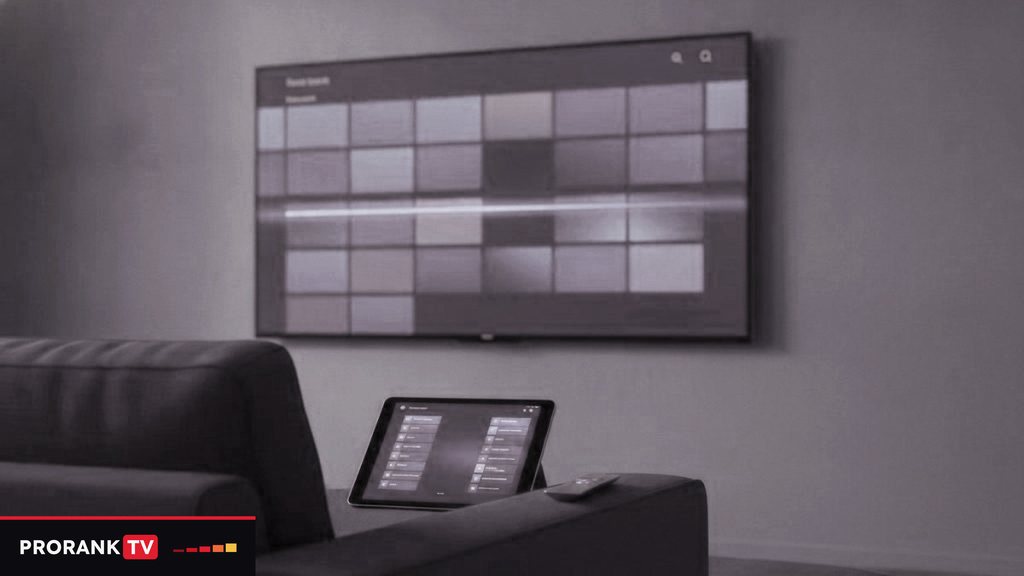
The best IPTV app for language practice is the one your screen can run that reaches a channel in your target language in a few presses, keeps those channels in a list of their own and lets you hear a bulletin a second time. PRORANKTV, like most IPTV services, is a login rather than an app, so the choice of player is yours. On a Fire TV stick running Fire OS, an Android TV or a Google TV device, the usual pick is TiviMate. Apple screens point to Smarters Player Lite or iPlayTV, while a Samsung or LG television with nothing plugged in can run Smart IPTV. Every one of them accepts the same details, so installing two and comparing them on one evening costs nothing.
Start with the screen, then pick the player
The platform limits the choice before any feature does. This is the starting point for each kind of screen, with the second option worth keeping in reserve.
| Screen | First player to try | Second option | Where it comes from |
|---|---|---|---|
| Fire TV Stick 4K Max, 4K or Lite (Fire OS) | TiviMate | IPTV Smarters Pro | The Downloader app, after Developer Options are switched on |
| Fire TV Stick 4K Select (Vega OS) | Only what the Amazon Appstore lists | None outside the store | Vega OS does not sideload |
| Android TV and Google TV | TiviMate | IPTV Smarters Pro | Google Play Store |
| iPhone, iPad, Apple TV | Smarters Player Lite | iPlayTV, a paid Apple-only app | App Store |
| Samsung, 2022 or later (Tizen 6.5+) | Smart IPTV | A Smarters app, if the store lists one | The TV’s own store |
| LG with webOS 3.0 or later | Smart IPTV | A Smarters app, if listed | The TV’s own store |
| Windows PC | IPTV Smarters Pro | VLC, to check a link | The developers’ downloads |
| MAG box | No player at all | None needed | A portal URL tied to the box’s MAC address |
| Roku | Almost none of these | A second stick in a free HDMI port | No sideloading on Roku |
Two Fire TV models look alike and behave very differently. The 4K Select runs Vega OS, a system that refuses every app from outside Amazon’s store, while the Fire OS sticks take TiviMate through Downloader in a few minutes. The guide to set up PRORANKTV on a Firestick names each screen on the way.
What a player has to do for listening practice
Most app comparisons judge looks and speed. A learner uses a player in a narrower way: the same handful of channels every day, a fixed time slot, and a lot of replaying. These are the jobs that matter, roughly in the order you will lean on them.
Keep a favorites list for each language
With 25,000+ channels arriving in country groups, the first job is shrinking the list to the eight or ten you actually practice with. A good player lets you mark favorites and, ideally, keep more than one list, so the Spanish channels, the French ones and the English-language channels the rest of the house watches never mix. In TiviMate, favorites and the option to hide whole groups both belong to the paid Premium tier. IPTV Smarters Pro has a favorites option in its live section, if your version offers it.
Search by typing part of a name
Typing “ant” to land on Antena 3, or “rai” for Rai 1, beats paging through a long country group with the arrow keys. Try the search box before you settle on any player, and try it with the remote you will really use: a Fire TV remote has no number keys, so on a stick, search and favorites carry the whole load.
A program guide you can read a day ahead
Practice sticks when it happens at the same time every day, and the program guide (EPG) is how you find that time. Look up when the evening bulletin or a cooking program begins on the channel you follow, then keep those minutes free. TiviMate lays the guide out as a full grid, one row per channel and the hours running left to right; Smarters shows the same schedule in a simpler list. With an Xtream Codes login the guide loads by itself. With the M3U link alone, the guide needs its own xmltv.php address, which goes into the EPG field of the player.
Catch-up, for hearing it twice
Hearing the same bulletin twice is one of the most useful habits in the middle stages: the first time for the gist, the second for the words that slipped past. On channels that carry catch-up, a player that supports it lets you step back through the guide to a program that has already aired and start it from the top. Not every channel keeps an archive, and how far back it reaches varies from one channel to the next, so look for the small catch-up marker your player shows. The PRORANKTV catch-up page explains how to spot the channels that offer it.
Audio and subtitle tracks
On-demand movies and series are where track switching pays off. Many titles carry more than one audio language or a subtitle file, title by title, and a player’s track menu lets you pair the original soundtrack with subtitles in that same language. Look for an audio or subtitle option in the playback menu, if your player offers it. Live channels are a different matter: subtitles appear there only when the broadcaster sends them and the player can display them, so treat them as a bonus and never as a feature to plan around.
Pausing live television
Some players can pause a live channel or jump back a few seconds, if your player offers it and the device has the memory to hold the buffer. Stopping to repeat a sentence aloud is a good reason to want it. Where it is missing, catch-up does a similar job a little later.
The players, and where each fits a learner
TiviMate
TiviMate is made for Android-based TV devices and is centered on live television. Its guide is the strongest of this group, and it stays quick on a very large list. Without paying, it plays every channel and shows the guide; Premium adds recording, multi-view, several playlists, favorites and the hiding of groups. For practice, Premium earns its price through those last two, because together they turn a line-up of thousands into a short list per language. Because TiviMate was built around live channels, compare it with Smarters during a trial if on-demand titles are a big part of your plan. Apple devices cannot run it; App Store listings with lookalike names belong to other developers. The guide to add a PRORANKTV login to TiviMate covers every field.
IPTV Smarters Pro and Smarters Player Lite
Smarters has the widest reach here: Android devices, Fire OS, Windows, and Apple devices, where the free app is called Smarters Player Lite. After an Xtream Codes login it opens on three sections, Live TV, Movies and Series, which is the tidiest route to on-demand titles and their track menus. The look is plainer than TiviMate’s and the guide simpler, but it behaves much the same on a phone at lunchtime and on the television at night, which suits a learner who practices on more than one screen. The IPTV Smarters Pro setup steps show the login screen field by field.
Smart IPTV
Smart IPTV is built for televisions. Samsung sets from 2022 onward with Tizen 6.5 or above can download it from their store, and an LG needs webOS 3.0 or later. There is no sign-in screen: the app displays the TV’s MAC address, and the playlist link is attached to that address through the developer’s website, using whichever phone or computer is handy. After a free trial period the developer asks a one-time fee per television, so check its current terms. Smart IPTV reads the M3U playlist, which means on-demand titles appear as groups inside the channel list rather than in sections of their own. The page on Smart IPTV with a PRORANKTV playlist walks through the upload.
iPlayTV
iPlayTV is a paid app for iPhone, iPad and Apple TV only, with a clean and readable layout. It takes the same login as every other player. If the Apple TV is where most of your listening happens, it is worth setting it beside Smarters Player Lite for an evening; track and subtitle options differ between versions, so check them while the trial runs.
VLC
VLC is not a daily player for live television, but it is the quickest test there is. On a computer it opens an M3U link in seconds, and its desktop version has Audio and Subtitle menus for picking tracks. If a link plays in VLC, the login itself is fine and any trouble lies in the other player’s settings.
Matching player features to your listening stage
The CEFR scale, from A1 for a beginner to C2 for mastery, is a widely used way to describe a level. The table below is editorial: it pairs the kind of television that tends to suit each stage with the player features that make it easier, and it promises nothing about results.
| Stage | What you watch most | Features that help |
|---|---|---|
| A1–A2 | Weather forecasts, kids’ channels in English or in French (TFO), cooking programs where every step is shown on screen | A short favorites list, search, pausing where the player allows it |
| B1 | Short news bulletins at a fixed hour | The program guide to plan the slot, catch-up to hear it twice |
| B2 | Soaps, drama and on-demand series | A track menu for original audio with same-language subtitles |
| C1–C2 | Talk shows, comedy and live match commentary | Fast channel changes, a wired connection so fast speech is not cut by buffering |
Learners of English fit the same table. The US, UK, Irish, Canadian, Australian and New Zealand groups, plus African English-language channels such as SABC 1 and Africa Magic, give many accents of one language; a favorites list with one channel from each is a simple accent tour. Which languages sit in which country groups is set out on the live TV by language page.
One login, as many players as you like
A PRORANKTV login has three parts, the server URL, a username and a password, known together as the Xtream Codes details, plus an M3U link built on get.php with that same username and password. Choose Xtream wherever a player accepts it, because the guide and the on-demand sections arrive with it. The M3U link is for players such as Smart IPTV and VLC that read only a playlist.
What a plan counts is simultaneous streams, not installations. TiviMate on the living-room box and Smarters on your phone can both hold the login; only two people watching at once needs a plan with two connections, as listed among the PRORANKTV plans and prices.
Get players from the official store on each device, or on Fire OS from the download link the developer publishes. No app called PRORANKTV exists, and an APK that uses the name did not come from us.
Deciding in one evening
A day is long enough to install two players on the screen you use most and run each through the jobs above. Build a five-channel list for your language, find tomorrow’s practice slot in the guide, replay something on a catch-up channel and open one on-demand title to see what its track menu offers. Ask for the PRORANKTV free trial in WhatsApp; the login arrives in that chat in under 15 minutes, and whichever player wins keeps it when you buy.
Questions this article leaves open
Which IPTV app is best for practicing a language?
TiviMate is usually the best fit on Fire OS sticks and on Android TV or Google TV devices, because its program guide and Premium favorites keep a short list of channels per language. On Apple devices, Smarters Player Lite or iPlayTV do the same job, and on Samsung or LG televisions, Smart IPTV. All of them take the same PRORANKTV login, so you can compare two during the free trial.
Can I switch the audio language or turn on subtitles in an IPTV app?
On many on-demand titles, yes, as long as your player has a track menu and the title carries more than one track. Movies and series often include several audio languages or subtitle files, decided title by title. Live channels differ: subtitles show only when the broadcaster sends them and the player can display them, so nobody can promise them on live TV.
Do I need TiviMate Premium?
Only if you want its extras. Without paying, TiviMate still plays live channels and shows the program guide. Premium unlocks recording, multi-view, extra playlists, favorites and group hiding. For daily practice, favorites and hidden groups are what make a 25,000+ channel line-up manageable, so learners on Android-based devices often find Premium worth paying for.
Is there a PRORANKTV app to download?
No, there is no PRORANKTV app. What arrives in the WhatsApp chat is a login, three Xtream Codes details (server URL, username, password) and an M3U link, and those go into a third-party player such as TiviMate or IPTV Smarters Pro. An APK presented as the official app of the service did not come from us, so leave it alone.
Which IPTV player works on an iPhone or Apple TV?
Two apps cover Apple: Smarters Player Lite, which is free, and iPlayTV, which is paid and exists for Apple devices only. Each accepts Xtream Codes details. TiviMate was never released for Apple, and iPhones and Apple TVs cannot install apps from outside the App Store, so those two are the realistic options. Compare their subtitle and audio menus during the trial.
Can one login be used in two different IPTV apps?
Yes. The login can go into any number of players on any number of devices; what a plan restricts is how many streams play simultaneously. TiviMate on the TV plus Smarters on a phone is a common pair. If two people will watch at the same moment, pick a plan with at least two connections.
Put the language you are learning on the screen tonight
Every PRORANKTV term carries all 25,000+ channels, with every language group from Spanish and French to Korean and Hindi. One month costs $15, the login is delivered over WhatsApp in under 15 minutes after payment. Not convinced after a few evenings of listening? There is a 7-day window to ask for your money back.
More PRORANKTV articles to read
IPTV glossary A to Z: from audio track to Xtream Codes
An A to Z of the words you meet in an IPTV player and on a price list, from audio track and…
September 19, 2026IPTV vs cable TV: cost, languages, reliability and what changes when you switch
Cable is built for one market; IPTV lines up live TV from 60+ countries. The two compared on languages, the bill, missed…
September 19, 2026IPTV vs OTT streaming: live channels, on-demand titles and listening practice
OTT apps hold libraries; IPTV holds live channels in a guide. What the two terms mean, where subscription IPTV fits, and how…