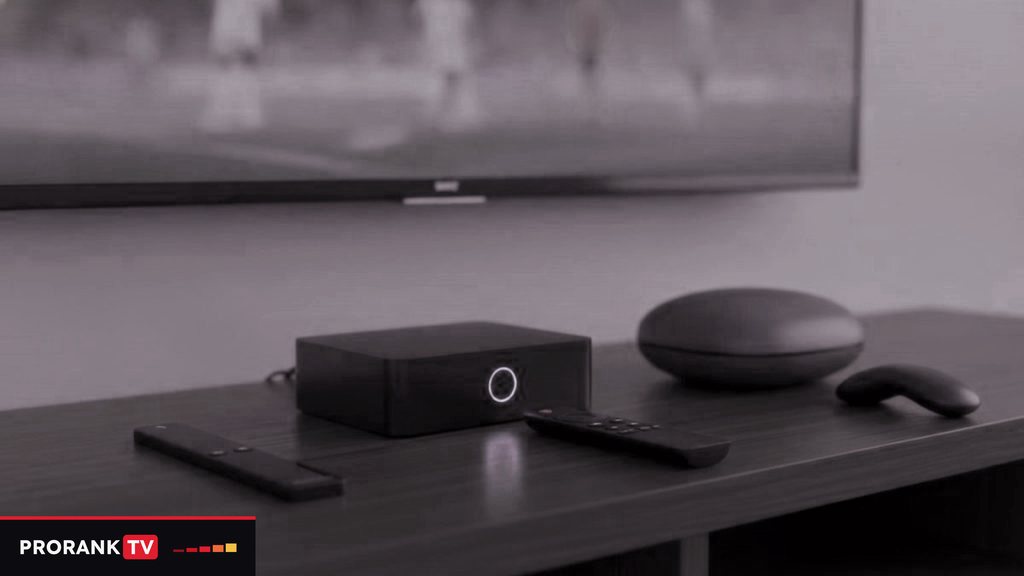
For most learners, the best IPTV box is one already in the house: a recent smart TV, a Fire TV stick or a phone with headphones can run a player app and a PRORANKTV login this evening. When buying is the plan, pick something Android-based, such as a Fire OS stick or a box running Google TV or Android TV, because TiviMate and IPTV Smarters Pro both install there. An Apple TV 4K makes sense in a household already on Apple, and a MAG box suits someone who wants a remote and menus that feel like a cable box. PRORANKTV sells no hardware and requires none. Prices for these devices move all the time, so check the current retail price of any model before deciding.
Test the screens you already own
Before spending anything, list what is already plugged in. Each of these runs a player with no extra hardware:
- A Samsung set made in 2022 or after (Tizen 6.5+): Smart IPTV from Samsung’s own store.
- An LG TV on webOS 3.0 or later: Smart IPTV from LG’s store.
- A Fire TV stick or Android TV device behind the set: it needs only a player.
- An iPhone, iPad or Apple TV: Smarters Player Lite or iPlayTV from the App Store.
- A Windows laptop: IPTV Smarters Pro, with VLC to check a playlist link.
- A phone or tablet: with headphones, often the best screen of all for short, focused listening.
Run the 24-hour PRORANKTV trial on whichever of these you have. If the service suits you and the screen does not, buy hardware afterwards, knowing exactly what you want the new device to fix.
Platforms compared before models
The operating system sets which players can be installed; the player then sets whether per-language favorites, catch-up and a track menu are on offer. Identical chips inside two boxes can still give very different evenings for that reason, so compare platforms first.
| Device family | System | Players | How they install | Worth knowing |
|---|---|---|---|---|
| Fire TV Stick 4K Max, 4K, Lite | Fire OS | TiviMate, IPTV Smarters Pro | Downloader, once Developer Options are on | The Lite outputs HD, not 4K |
| Fire TV Stick 4K Select | Vega OS | Only what the Amazon Appstore lists | No sideloading of any kind | Check the store listing before buying it for IPTV |
| Google TV and Android TV boxes, Nvidia Shield | Android TV / Google TV | TiviMate, IPTV Smarters Pro | Google Play Store | Unbranded boxes vary widely in quality |
| Formuler | Android-based | Its own player plus Android apps | Built in, plus a store | A remote with dedicated live-TV buttons |
| MAG | Its own firmware | None: a portal | Portal URL linked to the box’s MAC address | Simplest to use; menus come from the portal |
| Apple TV 4K | tvOS | Smarters Player Lite, iPlayTV | App Store only | No TiviMate on Apple |
| Roku | Roku OS | Almost none of these | No sideloading | Add a second device on another HDMI port |
| Samsung and LG TVs | Tizen / webOS | Smart IPTV and whatever the store lists | The TV’s own store | Samsung 2022+ (Tizen 6.5+), LG webOS 3.0+ |
Five things that matter more than the processor
Spec sheets lead with cores and gigahertz. For daily listening, five plainer details decide whether a device helps your practice or gets in its way.
Headphones without a cable
Catching every consonant of a fast newsreader is far easier through headphones than through a TV speaker across the room, and headphones let you practice at 11 p.m. without waking anyone. Most current Fire TV, Google TV, Android TV and Apple TV devices can pair Bluetooth headphones from their settings; look at the Bluetooth menu of the model you have in mind. Some headphones add a slight delay between lips and sound. If that distracts you, try another pair, or use a laptop or tablet with a wired set for the hardest material.
A remote with a real pause button
Practice is full of stops: to repeat a phrase aloud, to note a word, to go back over a scene in an on-demand series. A remote with its own play/pause key makes each stop one press. Number keys help as well, for jumping straight to a channel number in players that support it. Fire TV remotes have none, so on a stick, search and a tidy favorites list do that work instead. Set-top boxes such as Formuler and MAG ship with fuller remotes.
Enough RAM to scroll a huge guide
A program guide that covers 25,000+ channels is a lot of data for a small device to redraw. With less than about 2 GB of memory, the guide hesitates on every page; 3 or 4 GB keeps it fluid. Product pages that leave out the memory figure usually do so for a reason.
A network port, or an adapter
Live speech cannot be loaded far ahead, and a dropout in the middle of a sentence costs you the sentence. Running a cable from the router to the device is the most reliable cure. Most set-top boxes have a network socket built in; for a stick, use the maker’s official adapter.
4K only where the TV can show it
A 4K device improves a 4K television and changes nothing on an HD one. For listening, clear sound counts for more than resolution. Many channels in the line-up come in 4K, FHD and HD versions, and the page on PRORANKTV in 4K lists what a UHD picture asks of the rest of your setup.
Fire TV sticks: one name, two systems
The Fire OS sticks, among them the 4K Max, the 4K and the Lite, can install a player from outside Amazon’s store with the Downloader app. Developer Options stay hidden at first: in Settings > My Fire TV > About, highlight the device name and press select 7 times, and the menu appears. The Fire TV Stick 4K Select is the odd one out. It runs Vega OS, which cannot sideload anything, so only the players in the Amazon Appstore will ever run on it. If TiviMate is your reason for buying a stick, pick a Fire OS model or a Google TV device. The guide to install PRORANKTV on a Fire TV stick names each screen in between.
Roku, MAG and the television on its own
Roku players are fine for the big streaming platforms, but sideloading is blocked and the Roku store lists very few of the players this site uses. Where a Roku is already connected, a Google TV or Fire OS stick in a free HDMI port is the easier route, and the PRORANKTV and Roku page sets out the options.
A MAG box works the other way round, with nothing to install. Its MAC address begins 00:1A:79 and is printed on the label underneath; you send it in the WhatsApp chat, the portal is linked to it, and you type the portal URL into the box. It suits a relative who wants to switch on and watch. The trade-off is that the portal’s menus replace a player of your choosing, so per-language favorites and track menus depend on what the portal offers. Both box types are covered in the MAG and Formuler setup guide.
A Samsung or LG set alone is often enough for a study or a bedroom. Smart IPTV shows the TV’s MAC address instead of a sign-in screen, and the playlist is attached to that address on the developer’s website; a one-time fee per television goes to the developer once a free period ends.
Matching a device to the way you practice
These are common patterns rather than rules. The stages from A1 to C2 on the CEFR scale do not call for different hardware; they call for different programs. What changes the hardware choice is where and how you listen.
| Routine | A device that fits | Why |
|---|---|---|
| Twenty minutes of news with a notebook at the table | Laptop or tablet with headphones | Pause, write a word down, carry on, all without leaving the chair |
| A forecast or cooking program while making dinner | The TV’s own app, or a Fire OS stick | Low cost; background listening gains nothing from 4K |
| An on-demand series in the original language on the main TV | Google TV box, Nvidia Shield or Apple TV 4K, on a cable | Separate Movies and Series sections and a track menu, if your player offers it |
| Live match commentary at full speed | An Android-based box with TiviMate, wired to the router | Quick channel changes and no Wi-Fi gaps in mid-sentence |
| A family member who never wants to see an app store | A MAG box | Switch on, choose a channel, nothing to update |
Which channels belong in each routine depends on the language. The PRORANKTV languages page sorts the line-up by country and lists the channels for each language, from Spanish and French to Arabic, Turkish, Hindi and Korean.
Walk past boxes sold with channels inside
Listings that bundle a device with channels “for life” are worth ignoring. Nobody can tell you who altered the apps inside, the access tends to vanish within weeks, and the seller is rarely reachable once it does. A plain device from a mainstream retailer, with the player installed by you from its official source, keeps hardware and subscription independent, so either one can be replaced without touching the other.
Spend after the trial, not before
The order that wastes the least money is simple. Run the trial on a screen you own, note what bothered you (a slow guide, no headphones, no pause key, Wi-Fi drops in the evening) and buy the device that fixes that particular thing. Then size the subscription by how many screens play at once, from one to five, using the PRORANKTV plans and prices. A login works on every device in the house; only simultaneous streams count.
Questions this article leaves open
Which IPTV box suits language practice best?
Something Android-based suits most learners best, such as a Fire OS stick or a Google TV box. Both install TiviMate and IPTV Smarters Pro, the players with per-language favorites, a full program guide and on-demand track menus. Apple households can use an Apple TV 4K instead. Test the free trial on a screen you already own before buying.
Do I need a box to watch IPTV?
No, a box is optional. A Samsung TV from 2022 on, an LG TV on webOS 3.0 or later, an Apple TV, a phone, a tablet or a laptop can all run a player app with a PRORANKTV login. A box earns its place when the TV is old, when you want TiviMate on a set that is not Android-based, or when you want a wired connection and a fuller remote.
Can I use the Fire TV Stick 4K Select for IPTV?
Yes, but only with apps Amazon itself offers for that model. The 4K Select uses Vega OS, a system with no sideloading, so installing a player through Downloader is impossible on it. Anyone set on TiviMate, or on another player missing from the Appstore, should go for the 4K Max or another Fire OS model, or a Google TV device.
Can I use Bluetooth headphones with an IPTV box?
Usually, yes. Most current Fire TV, Google TV, Android TV and Apple TV devices pair Bluetooth headphones from their settings, and the player's sound then goes to your ears rather than the room. That makes late-evening listening possible without disturbing anyone. Check the model's Bluetooth menu before buying, and expect a slight audio delay with some headphones.
How does a MAG box connect to PRORANKTV?
With a portal rather than an app. Turn the box over and note the MAC address on its label; on a MAG it begins 00:1A:79. Send that address in the WhatsApp chat, the portal is linked to it on our side, and you type the portal URL we return into the box. From then on it starts straight into the channel menus.
Does PRORANKTV sell IPTV boxes?
No. There is no PRORANKTV box, stick or remote, and nothing is posted to you. What you pay for is a login, delivered as text in the WhatsApp chat, that goes into a player on hardware of your choosing, whether that is a streaming stick, an Android or Google TV box, an Apple TV, a MAG, a smart TV, a phone or a laptop.
Put the language you are learning on the screen tonight
Every PRORANKTV term carries all 25,000+ channels, with every language group from Spanish and French to Korean and Hindi. One month costs $15, the login is delivered over WhatsApp in under 15 minutes after payment. Not convinced after a few evenings of listening? There is a 7-day window to ask for your money back.
More PRORANKTV articles to read
IPTV glossary A to Z: from audio track to Xtream Codes
An A to Z of the words you meet in an IPTV player and on a price list, from audio track and…
September 19, 2026IPTV vs cable TV: cost, languages, reliability and what changes when you switch
Cable is built for one market; IPTV lines up live TV from 60+ countries. The two compared on languages, the bill, missed…
September 19, 2026IPTV vs OTT streaming: live channels, on-demand titles and listening practice
OTT apps hold libraries; IPTV holds live channels in a guide. What the two terms mean, where subscription IPTV fits, and how…